

What Is a Disaster Recovery Plan?
A disaster recovery plan defines instructions that standardize how a particular organization responds to disruptive events, such as cyber attacks, natural disasters, and power outages. A disruptive event may result in loss of brand authority, loss of customer trust, or financial loss.
The plan is a formal document that specifies how to minimize the effects of disaster scenarios, and help the organization minimize damage and restore operations quickly. To ensure effectiveness, organize your plan by the location and the type of disaster, and provide simple step by step instructions that stakeholders can easily implement.
Disaster recovery plan examples can be very useful when developing your own disaster recovery plan. We collected several examples of plans created by leading organizations, and a checklist of items that are essential to include in your new plan.
Editor’s note: Updated the article to include recent trends in disaster recovery planning in 2026, added two new DR plan examples, and removed outdated examples.
In this article:
- Brief History of Disaster Recovery Plans
- Types of Disaster Recovery Plans
- Disaster Recovery Plan Examples
- Things You Must Include in Your Disaster Recovery Plan Checklist
- Data Protection with Cloudian
This article is part of a series on Disaster Recovery.
Evolution of Disaster Recovery Plans
The concept of disaster recovery (DR) plans dates back to the mid-20th century. Initially, businesses relied heavily on paper records, and their primary concern was fire safety. The introduction of digital technology in the 1970s and 1980s brought new challenges, leading to the development of IT-specific disaster recovery strategies.
The rise of the internet in the 1990s expanded the scope of DR plans to include cyber threats. Organizations began investing in offsite backups and data replication to ensure business continuity. The 2000s saw the advent of more sophisticated disaster recovery solutions, such as cloud-based services and automated recovery systems.
Here are a few trends shaping disaster recovery planning in the 21st century.
Shift from “Disaster Recovery” to Operational Resilience
The traditional focus of disaster recovery was on restoring IT systems after an outage. Today, organizations are shifting toward a broader goal: operational resilience. This approach not only addresses IT recovery, but also ensures that business functions can continue during and after disruptions.
Operational resilience frameworks integrate disaster recovery with business continuity planning, risk management, and incident response. The emphasis is on identifying critical business services, understanding their dependencies, and designing systems that can adapt under stress. This often includes decentralized architectures, cloud-native solutions, and cross-functional response teams.
Regulatory pressures, especially in sectors like finance and healthcare, have accelerated this shift. Instead of reacting to disasters, organizations now plan for continuous operations in the face of adversity.
Using Generative AI for Disaster Recovery Planning
Generative AI is emerging as a transformational technology for disaster recovery planning, enabling organizations to move from static DR playbooks to dynamic, AI-generated recovery strategies.
Key capabilities include:
- AI-generated recovery playbooks: GenAI models can analyze historical incidents, infrastructure data, and threat intelligence to automatically generate disaster recovery procedures and response playbooks.
- Advanced disaster simulation and scenario planning: Generative AI can simulate complex disaster scenarios and test different response strategies, helping organizations identify weaknesses in their recovery plans before an actual incident occurs.
- Automated DR testing: GenAI tools can automatically generate and execute disaster recovery test scenarios, reducing manual effort and improving readiness across IT environments.
- Predictive risk identification: By analyzing patterns across infrastructure logs, cloud telemetry, and threat intelligence, GenAI systems can detect anomalies and predict potential failures or cyber incidents before they escalate.
- AI-driven decision support during crises: GenAI systems combine data from multiple sources (text, images, logs, sensors) to generate real-time recommendations and response strategies during disruptions.
Data-Centric Disaster Recovery
Modern disaster recovery plans are increasingly built around data rather than infrastructure. This shift reflects the growing importance of data availability, consistency, and security across distributed environments.
A data-centric approach focuses on identifying critical data assets, mapping their flows, and implementing policies for protection and recovery. Key practices include automated backup policies, continuous data replication, immutable storage, and granular recovery options. These capabilities are especially important in hybrid and multi-cloud environments, where data is dispersed across services and regions.
Data-centric DR also emphasizes compliance and governance. With regulations like GDPR and HIPAA, recovery plans must ensure data integrity and traceability throughout the lifecycle of a disruption.
Types of Disaster Recovery Plans
Virtualized disaster recovery plan
A virtualized disaster recovery plan leverages virtualization technologies to create a more flexible and efficient recovery process. By abstracting physical hardware through virtual machines (VMs), organizations can easily replicate and recover entire systems. In the event of a disaster, these VMs can be quickly restored on different physical servers, reducing downtime significantly.
Network disaster recovery plan
A network disaster recovery plan focuses on maintaining and restoring network operations after a disruption. This involves strategies for recovering data communication links, network equipment, and essential network services. Key components include redundancy in network pathways, regular backups of network configurations, and the use of failover mechanisms to switch traffic to alternate routes seamlessly.
Cloud disaster recovery plan
Cloud disaster recovery plans utilize cloud services to back up and restore data and applications. This approach benefits from the cloud’s inherent flexibility, scalability, and accessibility. Data is replicated to cloud storage, and cloud-based recovery environments can be activated quickly in response to an incident. Cloud DR plans are cost-effective, as they reduce the need for maintaining physical infrastructure dedicated solely to disaster recovery.
Data center disaster recovery plan
A data center disaster recovery plan is designed to restore the operations of a physical data center after a disaster. This involves strategies for recovering hardware, software, data, and network connectivity within the data center. Key elements include establishing an alternate data center location, ensuring data redundancy across sites, and having a clear sequence of steps for rebuilding the IT environment.
DRaaS
Disaster Recovery as a Service (DRaaS) offers a managed approach to disaster recovery, where a third-party provider handles the recovery process on behalf of the organization. DRaaS solutions typically include continuous data replication, automated failover, and comprehensive recovery planning. This service model is particularly attractive to organizations with limited internal resources.
Disaster Recovery Plan Examples


For more background on how to build a plan from scratch, read our guide to disaster recovery plans and disaster recovery solutions.
Ready.gov Disaster Recovery Plan Template


Created by: Ready.gov
Pages: 10
The Ready.gov template focuses on emergency response procedures that organizations can quickly activate during different types of incidents. It emphasizes employee safety, clear communication, and predefined response teams. The template outlines structured procedures for evacuation, medical emergencies, fire events, severe weather, and other hazards, while also documenting emergency contacts, warning systems, and coordination with public emergency services.
Main sections:
- Policy and Organizational Statements – Defines the goals of the emergency response plan, outlines responsibilities of the emergency response team, and identifies applicable safety regulations such as OSHA or fire codes.
- Evacuation Plan – Provides procedures for evacuating employees and visitors during incidents such as fires or hazardous conditions. It includes evacuation team roles, assembly areas, and accounting procedures for personnel.
- Severe Weather / Tornado Sheltering Plan – Describes how employees are warned and directed to designated shelters during tornado warnings or severe weather events, including shelter team responsibilities and shelter locations.
- Shelter-in-Place Plan – Defines procedures for protecting personnel inside the facility during external airborne hazards, including shutting down ventilation systems and moving employees to protected interior areas.
- Lockdown Plan – Provides procedures for initiating a facility lockdown during security threats and includes instructions for using warning systems and notifying personnel.
- Medical Emergency Plan – Details the steps to follow during medical incidents, including contacting emergency services, dispatching trained responders, and identifying locations of first aid kits and AED devices.
- Fire Emergency Plan – Outlines fire response procedures such as activating alarms, notifying the fire department, evacuating occupants, coordinating with firefighters, and accounting for employees and visitors.
- Property Conservation – Describes how the organization prepares for forecast events, assesses damage after incidents, and organizes cleanup and restoration resources.
- Annexes (Hazard-Specific Guidance) – Provides structured guidance for responding to different hazard categories including natural disasters, technological failures, and human-caused incidents.
- Emergency Response Teams and External Services – Lists internal response teams and external emergency contacts such as fire departments, hospitals, contractors, and hazardous materials cleanup providers.
- Warning, Notification, and Communication Systems – Documents the systems used to warn employees and coordinate communication, including alarms, public address systems, call trees, and radios.
- Fire Protection Systems – Identifies fire protection equipment such as sprinkler systems, fire pumps, and special extinguishing systems, along with their locations and operating instructions.
- Plan Distribution and Revision History – Specifies how the plan is distributed, where copies are stored, and how updates and revisions are documented.
IBM’s Disaster Recovery Plan


Created by: IBM
Pages: 13
The aim of a disaster recovery plan is to guarantee prompt response to any disaster or emergency impacting information systems, while mitigating its impact on business operations. Once you’ve compiled the information outlined in this topic collection, securely store your document in an off-site location that’s both safe and accessible.
Main sections:
- Major goals of a disaster recovery plan – Details the major goals of a disaster recovery plan.
- Personnel – Use the tables in this topic to record your data processing personnel. You can include a copy of the organization chart with your plan.
- Application profile – Use the Display Software Resources (DSPSFWRSC) command to complete the table in this topic.
- Inventory profile – Use the Work with Hardware Products (WRKHDWPRD) command to complete the table in this topic.
- Information services backup procedures – Use these procedures for information services backup.
- Disaster recovery procedures – For any disaster recovery plan, these three elements should be addressed.
- Recovery plan for mobile site – This topic provides information about how to plan your recovery task at a mobile site.
- Recovery plan for hot site – An alternate hot site plan should provide for an alternative (backup) site. The alternate site has a backup system for temporary use while the home site is being reestablished.
- Restoring the entire system – Learn how to restore the entire system.
- Rebuilding process – Assess damage and begin the reconstruction of a new data center.
- Testing the disaster recovery plan – In successful contingency planning, it is important to test and evaluate the plan regularly.
PandaDoc Disaster Recovery Plan Template


Created by: PandaDoc
Pages: 6
The PandaDoc disaster recovery plan template provides a structured framework for documenting how an organization prepares for, responds to, and recovers from IT disruptions. It focuses on defining responsibilities, identifying critical systems and data, and documenting recovery procedures that can be executed during an outage or disaster event.
Main sections:
- Introduction and Plan Overview – Defines the purpose of the disaster recovery plan, its scope, and the types of disruptions it addresses. It also establishes high-level recovery objectives and planning assumptions.
- Disaster Recovery Team – Identifies the individuals responsible for executing the recovery plan and outlines their roles, responsibilities, and contact information.
- Risk Assessment – Documents potential threats and vulnerabilities that could disrupt systems or operations, helping organizations understand the scenarios their recovery strategy must address.
- Backup and Data Protection Strategy – Describes how critical data is backed up, including backup locations, schedules, and technologies used to ensure data can be restored after a failure.
- Recovery Procedures – Provides step-by-step instructions for restoring systems, applications, and infrastructure after a disruption. These procedures define the order of recovery and required technical actions.
- Communication Plan – Defines how employees, stakeholders, and external partners will be informed during and after a disaster, including escalation paths and notification methods.
- Testing and Maintenance – Establishes procedures for regularly testing the disaster recovery plan and updating it to reflect infrastructure changes, ensuring it remains effective and accurate.
The Council on Foundations

Pages: 59

- Risks and Event Scenarios –
- Plan Activation –
- Responsibility and Delegation of Authority –
- Incident Response Team (IRT) –
- Incident Response Team Roles & Responsibilities –
- Business Impact Analysis –
- Recovery Activity Summary and Needs Assessment –
- Vital Records –
- Disaster Notification/Communications –
- Personnel & Board Contact Information –
- Building Evacuation –
- Emergency Operations Center –
- Business Recovery Locations –
- Information Technology/Operations Preparedness –
Micro Focus

Pages: 36

- Objectives –
- Key Personnel Contact Info –
- Plan Overview –
- Emergency –
- Media –
- Insurance –
- Financial and Legal Issues –
- Technology Disaster Recovery Plan –
- Suggested Forms
Things You Must Include in Your Disaster Recovery Plan Checklist
1. Recovery Time Objective (RTO) and Recovery Point Objective (RPO)
A disaster recovery plan must make it clear what are your organization’s:
- RTO—the maximal time your organization can tolerate for recovering normal operations in case of a disaster (for example, recovery within 30 minutes, 2 hours, 12 hours)
- RPO—the maximal amount of data your organization can afford to lose (for example, an hour of data, 3 hours of data, one day of data)
2. Hardware and Software Inventory
For a plan to be effective, you must have a comprehensive, up-to-date inventory of your IT assets. Categorize them into the following categories:
- Critical—assets without which your business cannot operate
- Important—applications that are used at least once per day and can disrupt normal operations
- Unimportant—applications that are used less frequently than once per day
Ensure that your disaster recovery plan addresses all critical assets, and as many as possible of the important and unimportant assets, in that order.
3. Identify Personnel Roles
The plan should define who in the organization is responsible for disaster recovery processes, with their names and contact details. Critical responsibilities include:
- Ongoing backups and maintenance of business continuity systems
- Responsibility for declaring a disaster
- Responsibility for contacting third-party vendors
- Responsibility for reporting to management and liaising with customers, press, etc.
- Responsibility for managing the crisis and recovering from it
4. List of Disaster Recovery Sites
A disaster recovery plan must specify where the company’s assets are located, and where each group of assets will be moved if a disaster occurs. There are three types of sites:
- Hot sites—a fully functional data center with IT equipment, personnel and up to date customer data.
- Warm sites—a functional data center that allows access to critical systems only, without up-to-date customer data
- Cold sites—used to store backups of systems or data, but without the ability to immediately run operational systems
5. Remote Storage of Physical Documents and Storage Media
Most organizations have a large quantity of physical documents and/or storage media like DVDs, external hard drives or backup tapes, which must be protected in case of a disaster. Unexpected loss of this data can be detrimental to the business or result in compliance violations. Therefore, copies of all critical documents must be stored in a remote location.
6. Disaster Response Procedures
A key element of a disaster recovery plan is a documented procedure for responding to a catastrophic event. The first few hours of an event are critical, and staff should know exactly what to do to minimize damage to organizational systems, and recover systems to resume normal operations.
A DR procedure should include clear action steps, in simple and unambiguous language, including how to fail over to the disaster recovery site and ensure that recovery is successful.
Related content: Read our guide to disaster recovery policy
7. Identify Sensitive Data
All organizations maintain sensitive data, which may also be subject to compliance requirements, such as Personally Identifiable Information (PII), credit cardholder data, or other valuable data like intellectual property (IP).
A disaster recovery plan must identify how this sensitive data is securely backed, and who should have access to the original copy and the backups, both during normal operations and in the event of a disaster.
8. Define a Communication Plan for Disaster Events
When disaster strikes, a company must have a clear plan for delivering essential information to affected parties, including:
- Management
- Employees
- Vendors and suppliers
- Customers
- Compliance authorities
- The media
The communication plan should include elements like public relations (PR), communication on the company websites, and social media. When there is a clear channel of communication with stakeholders about an event, customers and other stakeholders will feel reassured and will be more likely to continue their relationship with the company.
9. Physical Facility Needs
In case of a physical disaster like a flood or earthquake, there will be a need to restore physical facilities. The disaster recovery plan should specify what is the minimal facility that will enable the company to restore normal operations—including office space, location, furniture needed, computing and IT equipment.
10. Run Disaster Recovery Drills
Disaster recovery plans might look great on paper, but fail when they are needed most. To avoid this from happening, run a drill and test your plan in a realistic scenario. Learn the lessons from the drill and update the plan to make it clearer and more effective for all parties involved. Disaster recovery plans must be updated at least once per year.
Protecting Data Effortlessly with Cloudian
If you need to backup data to on-premises storage, Cloudian offers low-cost disk-based storage with capacity up to 1.5 Petabytes. You can also set up Cloudian in a remote site and save data directly to the remote site using our integrated data management tools.

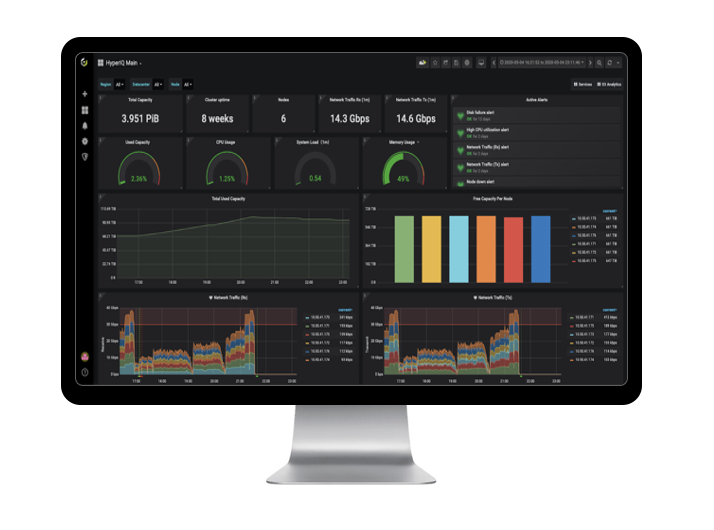
Alternatively, you can use a hybrid cloud setup. Backup data to a local Cloudian appliance, and configure it to replicate all data to the cloud. This allows you to access data locally for quick recovery, while keeping a copy of data on the cloud in case a disaster affects the on-premise data center.


Learn more about Cloudian’s data protection solution.