TL;DR: Storage platforms for GPU-intensive AI workloads keep training and inference pipelines fed at high throughput and low latency. Cloudian is best for exabyte-scale S3-compatible storage with direct RDMA paths to GPU memory, WEKA fits inference memory extension, VAST Data fits unified all-flash analytics, and DDN fits large-scale training clusters.
What Are GPU-Intensive AI Workloads?
GPU-intensive AI workloads refer to artificial intelligence tasks that require substantial computational resources, particularly parallel processing power, which is best delivered by Graphics Processing Units (GPUs). These workloads include deep learning model training, large-scale inference, data preprocessing, and simulation tasks commonly found in computer vision, natural language processing, and generative AI.
The central characteristic of these tasks is their reliance on matrix operations and large-scale data processing, which GPUs handle more efficiently than traditional CPUs due to their highly parallel architecture. Training deep neural networks, for example, involves processing massive datasets through multiple layers of computation, demanding high bandwidth and compute throughput.
Key storage requirements for AI:
- High throughput: Deliver large datasets to GPUs fast enough to keep accelerators continuously fed during training and inference.
- Low latency: Minimize delays between storage requests and data delivery so GPUs spend less time waiting.
- Massive scalability: Scale capacity and performance as datasets, model sizes, and GPU clusters grow.
- High IOPS: Support large volumes of small, random, and concurrent read/write operations efficiently.
- RDMA for S3: Move data more directly between storage and GPU memory to reduce CPU overhead and improve throughput.
- Efficient metadata performance: Handle file lookups, directory operations, and permissions quickly across datasets containing millions of files.
- Support for hybrid and multicloud AI: Provide consistent access, data mobility, and management across on-premises and cloud environments.
This is part of a series of articles about AI infrastructure
In this article:
Storage Platforms for GPU-Intensive AI Workloads at a Glance
The table below summarizes the key differences between the platforms covered in this guide. We explore each one in more detail in the sections that follow.
| Category |
Solution |
Best For |
Key Strengths |
Things to Consider |
| Object storage platforms |
Cloudian HyperStore |
On-premises S3 storage at exabyte scale for AI |
S3 over RDMA, GPUDirect, linear scaling, multi-tenancy |
Monitoring views and advanced configuration take extra steps |
| Object storage platforms |
NetApp StorageGRID |
Enterprise S3 object storage for AI data prep, hybrid cloud, and long-term retention |
Federated global namespace, 12 TB/s throughput, intelligent lifecycle management |
ILM rule design and admin interface require experienced storage staff |
| Object storage platforms |
Scality ADI |
Sovereign, cyber-resilient object storage for AI and archive |
S3 over RDMA, one namespace across media, CORE5 |
Administration expertise and upgrade processes |
| High-performance file and parallel storage platforms |
Hammerspace Global Data Platform |
Teams unifying fragmented file data across storage vendors, sites, and clouds for AI |
Global namespace across any storage, Tier 0 GPU-local NVMe, metadata-driven orchestration |
Initial setup and learning curve reported; review coverage is limited |
| High-performance file and parallel storage platforms |
WEKA NeuralMesh |
Training and inference with GPU memory extension |
Linear scaling, file and S3, KV cache over GDS |
Custom-quote pricing, migration effort |
| High-performance file and parallel storage platforms |
DDN Data Intelligence Platform |
AI factories running training and inference together |
KV cache store, multi-protocol namespace, EXAScaler |
Disruptive upgrades, high total cost |
| High-performance file and parallel storage platforms |
IBM Storage Scale |
Global parallel file system for AI, HPC, analytics |
Parallel throughput, content-aware indexing, caching |
Licensing complexity, setup learning curve |
| High-performance file and parallel storage platforms |
Everpure FlashBlade |
Unified file and object arrays for AI and HPC |
One OS for NFS, SMB, S3; EXA metadata core |
Pricing and cloud integration limits |
Related content: Read our guide to the best AI storage solutions
Why Storage Matters for GPU-Based AI Infrastructure
GPU performance depends on more than raw compute capacity. AI workloads must continuously move large datasets, model checkpoints, and intermediate results between storage, memory, and GPUs. If the storage layer cannot deliver data fast enough, GPUs spend time waiting instead of processing, reducing utilization and increasing training or inference time:
- Parallel access: Distributed training allows many GPUs and compute nodes to access the same datasets simultaneously. Storage systems must support this concurrency without creating contention.
- Fast checkpointing: Large models regularly save checkpoints for recovery and experimentation. Slow writes can interrupt training, while fast storage reduces the time spent saving and restoring model state.
- Scalable capacity: AI datasets and model artifacts can grow from terabytes to petabytes. Storage must scale without requiring major changes to the data pipeline.
- Efficient GPU data delivery: Technologies such as GPU-direct storage can reduce unnecessary CPU involvement and move data more directly between storage and GPU memory, improving throughput and freeing CPU resources for other tasks.
- Support for mixed I/O patterns: AI pipelines may combine large sequential reads with small random reads and writes. Storage must handle these different access patterns without significant performance degradation.
- Data availability: Training jobs can run for hours, days, or weeks. Reliable storage helps prevent interruptions caused by unavailable datasets, corrupted files, or failed storage components.
- Multi-node scalability: As GPU clusters expand, storage performance must scale with compute resources. Adding GPUs without increasing storage bandwidth can shift the bottleneck from compute to data access.
- Faster data preparation: AI pipelines often include decoding, transformation, shuffling, and augmentation before data reaches the GPU. Fast storage reduces delays during these preprocessing stages and helps maintain a steady flow of data.
- Shared dataset access: Multiple training, inference, and development jobs may use the same datasets. A shared storage layer can provide consistent access while reducing unnecessary copies across compute nodes.
Related content: Read our guide to avoiding storage bottlenecks in AI environments
Key Storage Requirements for GPU-Intensive AI Workloads
1. High Throughput
High throughput is a primary requirement for storage systems supporting GPU-intensive AI workloads. Throughput refers to the rate at which data can be read from or written to storage, typically measured in gigabytes per second (GB/s). In AI training scenarios, large volumes of data must be delivered continuously to GPUs to keep them fully utilized. If the storage system cannot provide sufficient throughput, data pipelines stall, and expensive GPU resources remain underutilized, slowing down the overall training process and increasing time-to-insight.
To meet these demands, modern storage architectures for AI often use:
- Parallel file systems
- High-speed SSDs
- Network technologies like NVMe over Fabrics
These solutions are designed to maximize aggregate bandwidth, enabling simultaneous data access by multiple GPUs or nodes. As AI models and datasets continue to scale, ensuring consistently high throughput becomes even more critical, necessitating careful planning and investment in both hardware and software components of the storage infrastructure.
2. Low Latency
Low latency is equally important in GPU-based AI environments, especially for workloads that involve real-time inference or interactive data processing. Latency refers to the time it takes for a data request to be completed, from the moment the GPU requests data until it is delivered. High latency can cause GPUs to wait idly for data, creating inefficiencies and reducing the effectiveness of the entire AI pipeline. In latency-sensitive applications like autonomous vehicles or live video analytics, even small delays can impact performance or safety.
To achieve low latency, storage systems must minimize the number of hops and processing layers between data storage and the GPU. This often involves:
- Using direct-attached NVMe drives
- Leveraging fast interconnects
- Adopting technologies that bypass traditional file system bottlenecks
Optimizing for low latency also requires fine-tuning both hardware and software stacks, ensuring that data paths are as short and efficient as possible so that GPUs can operate at their full potential.
3. Massive Scalability
AI workloads frequently require storage solutions that can scale seamlessly to accommodate:
- Growing datasets
- Increasing numbers of GPUs
- Expanding project scopes
Scalability in this context means the ability to increase capacity, throughput, and performance as requirements grow, without major re-architecting or service interruptions. Many AI projects start with a limited dataset but quickly evolve to include additional data sources, higher-resolution inputs, or more complex models, all of which require more storage and higher performance.
Modern storage systems address scalability through distributed architectures, allowing storage nodes to be added or removed dynamically. Technologies such as object storage and scale-out file systems are popular choices, as they can handle petabyte-scale data volumes and thousands of simultaneous access requests. True scalability also involves maintaining performance as the system grows, ensuring that adding more data or GPUs does not degrade throughput or increase latency, which is critical for ongoing AI development and production workloads.
4. High IOPS
High Input/Output Operations Per Second (IOPS) is a crucial metric for storage in AI environments, particularly when workloads involve accessing a large number of small files or random data points. Unlike sequential throughput, which measures the rate of large, continuous data transfers, IOPS gauges the system’s ability to handle many small, rapid read and write operations. Many AI training and inference tasks, such as those using image or text datasets, frequently access files in a non-sequential manner, making high IOPS essential for maintaining GPU utilization.
Storage solutions that deliver high IOPS typically rely on:
- SSDs
- Distributed file systems
- Advanced caching mechanisms
These technologies are optimized to reduce the overhead associated with file access and to handle concurrent requests efficiently. Without sufficient IOPS, AI pipelines can become bottlenecked at the storage layer, causing delays and reducing the overall productivity of GPU resources. Ensuring high IOPS is therefore a key consideration when architecting storage for GPU-accelerated AI workloads.
5. RDMA for S3 Compatible Storage
RDMA for S3 Compatible Storage is a technology by NVIDIA that enables direct data transfer between storage devices and GPU memory, bypassing the traditional CPU and system memory bottlenecks. This direct path significantly reduces latency and increases data throughput, allowing GPUs to access large datasets more efficiently. It is particularly beneficial for AI workloads that require rapid, high-volume data movement, such as:
- Deep learning training on massive datasets
- Real-time data analytics
By minimizing the number of data copies and system interrupts, RDMA for S3 helps to maximize GPU utilization and simplify the data pipeline. Implementing RDMA for S3 requires compatible storage hardware, drivers, and system software, but the performance gains can be substantial.
Related content: Read our guide to storage solutions for AI and analytics
6. Efficient Metadata Performance
Efficient metadata performance is critical in AI storage systems, as metadata operations can become a bottleneck when dealing with millions of files or complex directory structures. These operations include:
- File creation
- Deletion
- Access permission checks
Poor metadata handling leads to delays in data access, which can stall AI workflows, particularly during large-scale data preprocessing or when training on datasets composed of numerous small files.
Modern storage solutions address metadata challenges through distributed metadata servers, optimized file system designs, and in-memory caching techniques. These approaches help maintain low latency and high throughput even as the number of files and directories grows. For AI workloads, especially those in research or production environments with constantly changing datasets, metadata performance is essential to support fast, reliable data access.
Related content: Read our guide to storage systems for massive unstructured AI datasets
7. Support for Hybrid and Multicloud AI
Support for hybrid and multicloud environments is increasingly important for organizations developing AI workloads, as it enables flexibility, scalability, and resilience. Hybrid AI infrastructure combines on-premises resources with public or private cloud services, allowing teams to leverage the best of both worlds: cost-effective local performance and elastic cloud scalability. Multicloud strategies further extend this flexibility, enabling organizations to:
- Distribute workloads across multiple cloud providers
- Avoid vendor lock-in
- Optimize for cost or regulatory requirements
Storage systems that support hybrid and multicloud AI must provide seamless data mobility, consistent performance, and unified management across diverse environments. Features such as global namespaces, automated data tiering, and robust data replication are critical for enabling AI teams to move data where it is needed, without disrupting workflows or sacrificing performance.
Notable Storage Platforms for GPU-Intensive AI Workloads
How we selected these platforms: We shortlisted storage platforms based on their ability to sustain high throughput to GPU clusters, support direct data paths into GPU memory, scale capacity and performance independently, handle mixed sequential and random I/O, and provide multi-tenancy and data protection for shared AI infrastructure.
Object Storage Platforms
1. Cloudian HyperStore

Best for: On-premises S3 object storage at exabyte scale for AI
Strengths: S3 over RDMA, GPU Direct, linear scaling, multi-tenancy
Things to consider: Monitoring views and advanced configuration take extra steps
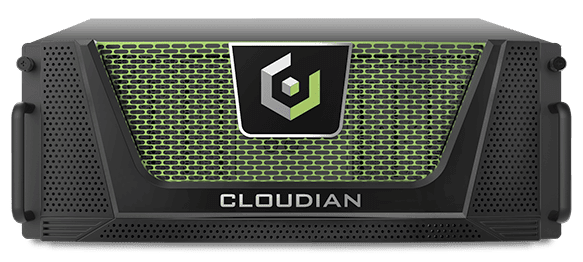
Cloudian HyperStore is software-defined S3-compatible object storage that runs on industry-standard servers or Cloudian appliances. Its architecture is peer-to-peer and shared-nothing, with no metadata server, head node, or central controller in the data path. Every node participates in serving I/O, so adding a node adds CPU, memory, network, and disk to the cluster at the same time.
For GPU-intensive work, HyperStore supports RDMA for S3-compatible storage and GPU Direct, moving data between the object store and GPU memory without routing through the CPU. HyperStore 8.2.6 holds Foundation level NVIDIA-Certified Storage validation for AI workloads involving up to 128 GPUs, covering sequential reads, random I/O, and low-latency retrieval.
Key features include:
- Shared-nothing parallel architecture: Every node serves I/O directly through the S3 API, supporting thousands of concurrent operations, with throughput scaling alongside capacity as nodes are added.
- RDMA for S3-compatible storage: Direct data transfers between object storage and GPU memory bypass the CPU, delivering throughput above 1 TB/sec in a single rack and roughly 35 GB/s of read throughput per node, with a 90% reduction in GPU server CPU utilization.
- Multi-tenancy with QoS controls: A single cluster hosts many tenants, each with its own users, groups, IAM policies, and role-based access controls, plus per-tenant throughput and request-rate limits and per-user metering for chargeback.
- Configurable data protection: Erasure coding distributes fragments across nodes, racks, and data centers, with replication available per bucket where lower latency matters more than storage efficiency.
- Security and compliance controls: Object Lock, encryption in transit and at rest, KMIP, role-based access, SAML integration, MFA, and FIPS 140-3 validation.
- HyperScale AI Data Platform appliance: A pre-configured system combining HyperStore with NVIDIA RTX PRO 6000 Blackwell Server Edition GPUs and NVIDIA AI Enterprise software for on-premises retrieval and inference workflows.
Limitations (as reported by users on G2):
- Monitoring and reporting navigation: Reviewers note that locating specific details in the monitoring and reporting interface can require extra steps.
- Documentation for advanced configuration: Advanced configurations may call for additional documentation or hands-on assistance, though reviewers describe support as responsive.
- Interface polish: Some reviewers describe the administrative interface as needing updates, particularly for users new to the platform.
2. NetApp StorageGRID

Best for: Enterprise S3 object storage for AI data prep, hybrid cloud, and long-term retention
Strengths: Federated global namespace, 12 TB/s throughput, intelligent lifecycle management
Things to consider: ILM rule design and admin interface require experienced storage staff
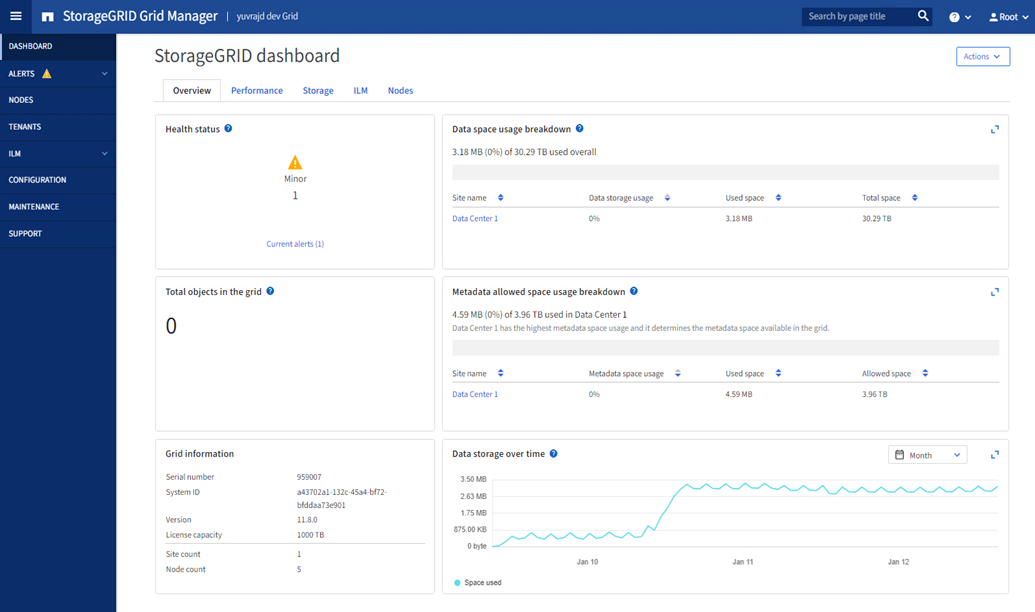
NetApp StorageGRID is software-defined object storage available as software or as purpose-built appliances, providing S3-compatible access to unstructured data across on-premises, hybrid cloud, and multicloud environments. It uses information lifecycle management (ILM) policies to automatically tier, replicate, or move data based on rules around performance, cost, compliance, and age.
StorageGRID 12.0 added an optimized caching layer that increases throughput for AI training and HPC workloads by up to 20x compared to its previous architecture, and StorageGRID 12.1 extended this with a federated global namespace and reported aggregate throughput of 12 TB/s. The platform supports S3 Object Lock for immutable datasets, cross-grid replication with object lock preserved, bucket branching for point-in-time recovery and isolated experimentation, and webhook integration for real-time data event notifications.
Key features include:
- ILM policy engine: Rules define where data lives at each stage of its life, specifying replication, erasure coding, placement across sites, and retention duration, with automated enforcement that moves data to the appropriate tier as conditions change.
- Federated global namespace: StorageGRID 12.1 introduces a federated namespace that spans multiple grids, allowing AI pipelines and analytics tools to access data across sites and deployments through a single logical address space.
- AI workload caching layer: A caching architecture introduced in version 12.0 increases throughput and reduces latency for AI training and HPC workloads, with up to 20x more throughput than previous versions on read-intensive AI pipelines.
- S3 Object Lock and cross-grid replication: Object Lock applies immutability to datasets for ransomware protection and compliance requirements, and cross-grid replication preserves lock settings as data moves between grids for multi-site protection.
- Bucket branching for experimentation and recovery: Creates point-in-time copies of object storage buckets, allowing AI teams to run isolated experiments on a dataset snapshot without affecting the production bucket.
- Multi-site erasure coding and replication: Data fragments are distributed across nodes and sites using erasure coding, with site-loss protection configurable per ILM rule, supporting durability of 99.999999999% across distributed deployments.
- Hybrid cloud integration: StorageGRID connects to AWS S3, Azure Blob, and Google Cloud as cloud storage pools, enabling transparent data tiering from on-premises object storage to public cloud without application changes.
Limitations (as reported by users on G2 and PeerSpot):
- ILM rule complexity: Reviewers note that designing and managing ILM policies across multi-tenant, multi-site deployments requires deep familiarity with the platform and experienced storage staff to configure correctly.
- Admin interface navigation: Several reviewers describe the web management interface as less complete than the on-premises console, with configuration options that are difficult to locate for less experienced administrators.
- Deduplication and reindexing gaps: Some users note that deduplication capabilities need improvement, and reindexing operations require attention when managing large object estates.
- Upgrade complexity: Rolling upgrades in large grids are described as complex and time-consuming, with some reviewers noting issues during major version transitions.
- Minimum deployment footprint: The minimum practical cluster size creates an entry floor that can limit cost-effectiveness for smaller deployments or proof-of-concept use cases.
3. Scality ADI

Best for: Sovereign, cyber-resilient object storage for AI and archive
Strengths: S3 over RDMA, one namespace across media, CORE5 resilience
Things to consider: Administration expertise and upgrade processes reported
Scality Autonomous Data Infrastructure (ADI) combines the distributed object foundation used in Scality RING with autonomous operations, media flexibility, and S3 over RDMA. It is built on MultiScale, the architecture that lets capacity, throughput, namespace, and geography scale independently rather than in lockstep, across multi-petabyte to exabyte environments.
ADI handles training, inference, retrieval, and agent traffic under one policy plane and one namespace, placing hot, warm, and cold data on flash, QLC, HDD, or archive media according to lifecycle policy. Scality reports more than 12 EB in production and 14 nines of data durability on the underlying RING platform.
Key features include:
- AI-scale object access: High-concurrency S3 and S3 over RDMA data paths serve GPU clusters, covering data preparation, retrieval-heavy pipelines, and high-performance object workflows.
- RDMA-accelerated KV cache connector: A centralized cache for distributed inference, alongside indexed and vectorized enterprise data with S3 over RDMA access for RAG, video search, and research agents.
- Workload-aligned media agility: A single namespace and policy-driven lifecycle place data across performance and retention tiers without creating a separate silo for each tier.
- Autonomous operations through Guardian: Scality’s agent surfaces insights, recommends actions, and executes workflows such as expansion, healing, rebalancing, upgrades, and validation within customer-defined bounds.
- CORE5 cyber resilience: Immutability, durability, metadata protection, multi-site replication, and policy enforcement are built across five architectural layers, with S3 Object Lock, erasure coding, and self-healing across sites.
- Multi-tenancy and isolation: Tenant isolation and per-tenant quotas are enforced in the architecture, with site-specific IAM and encryption boundaries for sovereign deployments.
- Real-time power telemetry: Power consumption is visible at system, node, and workload levels, letting teams manage against facility limits.
- Multi-protocol interfaces: The RING foundation supports S3, NFS, and SMB access over one infrastructure, with a unified S3 namespace across sites and clouds.
Limitations (as reported by RING users on PeerSpot):
- Administration expertise: Reviewers describe the platform as complex to administer, calling for Linux and S3 knowledge, day-to-day monitoring, and occasional restarts of components including metadata services.
- Upgrade and patch processes: Users report frequent patches and note that upgrades, migrations, and extensions often involve vendor professional services.
- Rebalancing and query load: Adding storage nodes is straightforward, but rebalancing can take weeks, and very high operation or query rates have caused slowdowns.
- Encryption and backup gaps: Reviewers ask for updated encryption and data security capabilities, and note that an external backup copy has to be architected separately.
- Interface maturity: Administration interfaces are described as dated, with a learning curve for staff who do not work with the platform daily.
High-Performance File and Parallel Storage Platforms
4. Hammerspace Global Data Platform

Best for: Teams unifying fragmented file data across storage vendors, sites, and clouds for AI
Strengths: Global namespace across any storage, Tier 0 GPU-local NVMe, metadata-driven orchestration
Things to consider: Initial setup and learning curve reported; review coverage is limited
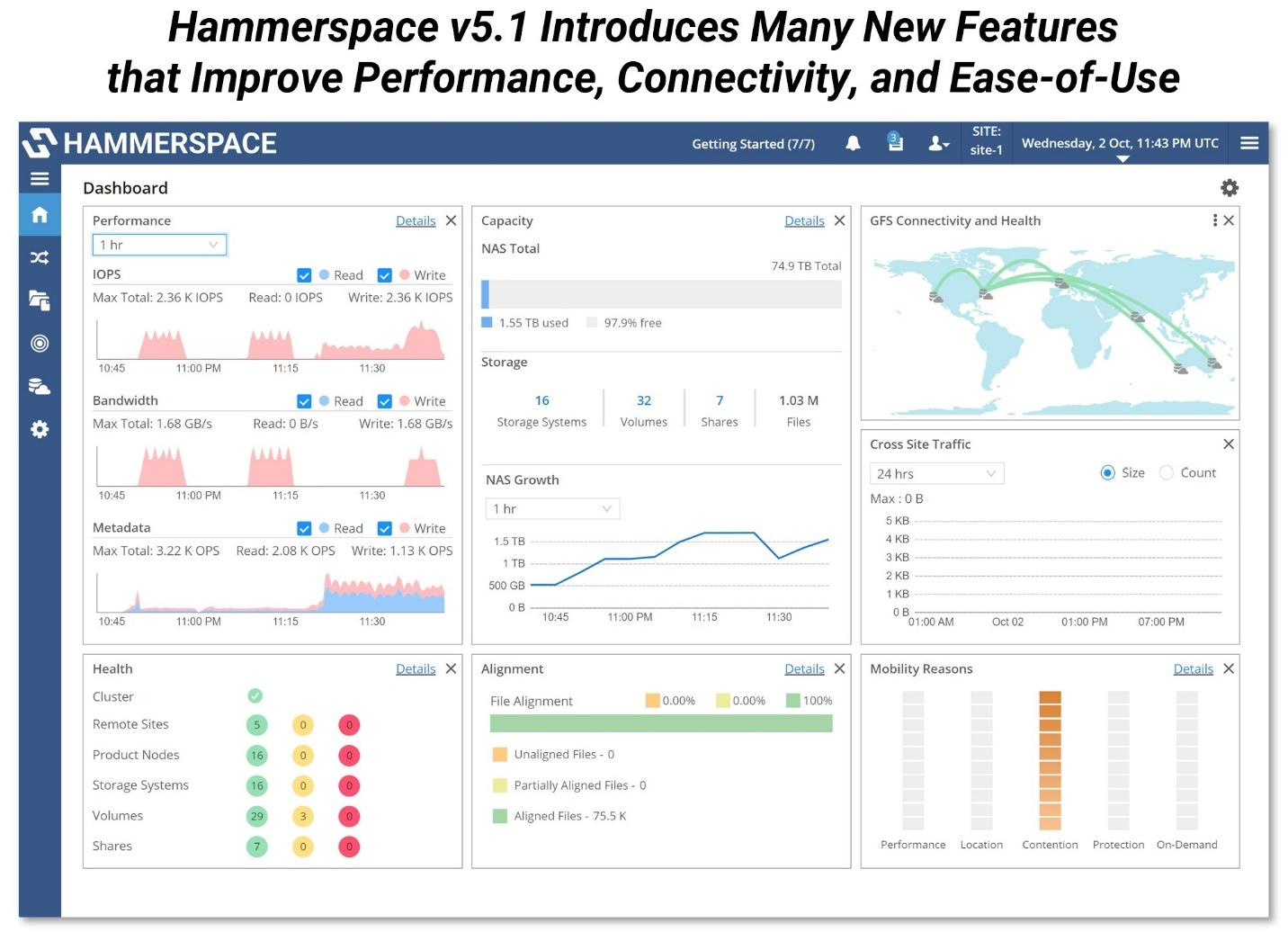
Hammerspace Global Data Platform is a software-defined data platform that creates a unified global namespace across existing storage infrastructure from any vendor, on-premises and in the cloud, without requiring organizations to replace or replatform their current storage systems. It presents all data as a single, consistently addressable file system regardless of where the underlying storage physically resides.
The platform adds Tier 0, which incorporates the local NVMe storage already inside GPU servers into the global namespace as a shared, high-speed storage tier. Rather than leaving that NVMe capacity stranded and isolated per server, Tier 0 makes it accessible across the cluster, providing checkpoint and data access at near-DRAM speeds through the global file system without installing custom clients or kernel modules.
Key features include:
- Global namespace across heterogeneous storage: Hammerspace assimilates metadata from existing NAS, object, and cloud storage in place, presenting it through a single global namespace with standard NFS and SMB access without requiring data migration or storage vendor changes.
- Tier 0 GPU-local NVMe as shared storage: Local NVMe drives inside GPU servers are incorporated into the global file system with shared access, redundancy, and intelligent data placement, eliminating stranded storage capacity and providing a high-speed tier without additional hardware.
- Metadata-driven data orchestration: Objective-based policies use metadata to automate data placement, replication, tiering, and mobility across sites and storage systems, moving data to where compute needs it without changing file paths or application configurations.
- Global data services on any storage: Replication, snapshots with file-granular recovery, live data mobility, tiering, file versioning, WORM protection, and encryption are applied across all connected storage systems through a single policy plane, regardless of the underlying vendor.
- Multi-site and hybrid cloud data plane: Data spans edge locations, data centers, and public clouds under a single namespace and management plane, with automated orchestration that places data close to the compute jobs that need it.
- NVIDIA AI Data Platform integration: Hammerspace integrates with the NVIDIA AI Data Platform reference architecture, enabling unified data access for agentic AI applications and GPU workloads across distributed infrastructure.
- Standards-based access without custom clients: The platform uses standard NFS and SMB protocols and does not require custom parallel file system clients or kernel modules, making it compatible with existing applications and operating environments.
Limitations (as reported by users on Gartner Peer Insights):
- Initial learning curve: At least one reviewer notes a learning curve during initial setup, particularly around understanding and configuring the objective-based policy system before it operates as intended.
- Ransomware detection gap: Reviewers note that Hammerspace’s storage-level protections need to be complemented by external detection tooling, as the platform does not include built-in ransomware detection.
- Enterprise KMS integration effort: Integrating external key management systems requires configuration effort from the buyer’s security and platform teams rather than being handled natively.
- Limited independent review volume: With fewer than 10 published reviews across G2 and Gartner Peer Insights, peer validation is limited compared with more established storage platforms.
5. WEKA NeuralMesh

Best for: Training and inference with GPU memory extension at scale
Strengths: Linear scaling, file and S3 access, KV cache offload over GDS
Things to consider: Custom-quote pricing and migration effort from legacy NAS
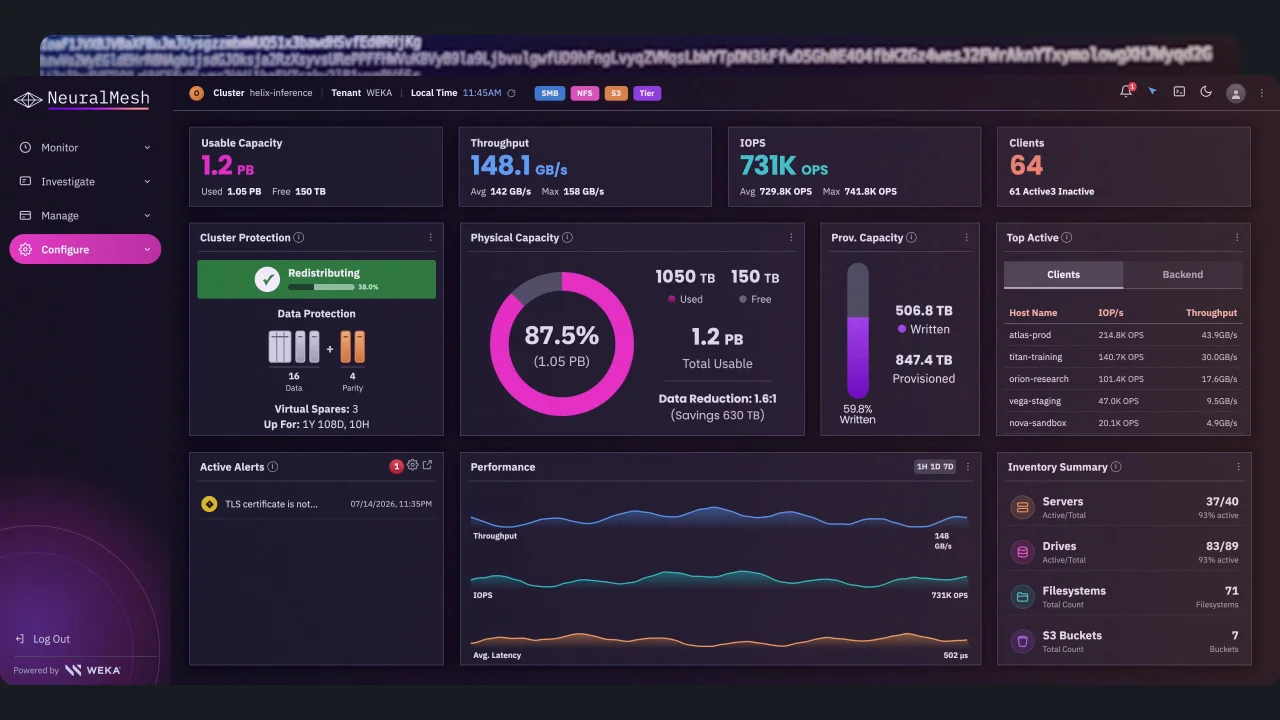
WEKA NeuralMesh is a software-defined storage and memory platform for AI and HPC workloads. Throughput and IOPS scale linearly with consistently low latency as clusters grow from ten to ten thousand nodes, and the same software runs on-premises and in hybrid, hyperscale, and AI cloud environments.
Alongside file and object storage, NeuralMesh extends GPU memory through Augmented Memory Grid, which offloads and persists KV cache data to an NVMe-backed token warehouse. WEKA reports 1000 times more KV cache capacity than DRAM, up to 6.5 times higher input-token throughput under concurrent inference load, and 10 times more simultaneous long-context sessions on the same GPU cluster.
Key features include:
- Microsecond data path to GPUs: NVIDIA Magnum IO GPUDirect Storage and RDMA let GPUs fetch tokens directly from the NVMe-backed token warehouse at DRAM-class throughput.
- Data reduction for AI datasets: Similarity-based compression captures structural redundancy across blocks and delivers up to 6x reduction on AI/ML data with under 5% write overhead, with deduplication applied cluster-wide across DR-enabled filesystems.
- Background-first write handling: Writes commit to NVMe at native speed while reduction runs in the background, so checkpoint phases do not stall the write path.
- Combined file and object access: An S3 object store runs alongside file protocols on the same platform, with replication, multitenancy, observability, and a Kubernetes operator included.
- Efficiency mechanisms: Thin provisioning, snapshots, single-hop writes, drive sharing, and AlloyFlash hybrid flash operate together, with WEKA reporting up to 1.9x reads, 13x write throughput, and 3x lower latency.
- Open-source inference integrations: Native integration with NVIDIA Dynamo and NIXL through WEKA’s open-source NIXL plugin, plus projects supporting TensorRT-LLM and LM Cache.
Limitations (as reported by users on Gartner Peer Insights):
- Documentation availability: Reviewers describe online documentation for the product as limited.
- Cost relative to alternatives: Users note that cost runs high compared with similar software in the market.
- Pricing transparency: Most enterprise deals require custom quotes, and underlying compute, networking, and object-store costs sit outside the software licensing.
- Implementation and migration effort: Moving off legacy NAS or parallel filesystems is reported as a significant project, often involving partner services.
- Entry footprint and tuning: Minimum practical cluster sizes create a floor for smaller deployments, and sizing and networking choices materially affect results on metadata-heavy or small-file workloads.
6. DDN Data Intelligence Platform

Best for: AI factories running training and inference on shared data
Strengths: KV cache store, multi-protocol namespace, parallel file system
Things to consider: Upgrades can be disruptive and total cost runs high
DDN’s Data Intelligence Platform pairs two products. Infinia is a software-defined data engine that unifies fragmented data into a single pipeline with high-speed metadata indexing, and EXAScaler is the parallel file system used for large-scale training, which DDN states is deployed in more SuperPODs than any other solution and delivers multiple TB/sec.
Infinia orchestrates data across core, cloud, and edge with intelligent placement, and keeps embeddings, vectors, and inference state close to compute through a built-in KV store and KV cache. The two products present one data fabric covering data preparation, model training, analytics, and inference.
Key features include:
- Metadata-driven data platform: Structured, semi-structured, and unstructured data sit in one platform with high-speed metadata indexing for search, filtering, and retrieval across large datasets.
- KV store and KV cache: Embeddings, vectors, and inference state are held close to compute for retrieval-heavy and long-context inference pipelines.
- Multi-protocol access on one namespace: Native S3 and POSIX file access run on a single platform, so object and file workloads use the same data without copies or parallel infrastructure.
- Enterprise-scale multi-tenancy: Workload isolation, QoS management, and performance isolation support shared infrastructure and AI-as-a-service deployments.
- EXAScaler parallel file system: Delivers multiple TB/sec for large-scale AI and HPC, with checkpointing designed to avoid stalling training runs, and is used by NVIDIA for trillion-parameter model training.
- Edge to cloud orchestration: Data placement and movement span core, cloud, and edge environments, with secure multitenancy, granular access controls, and dynamic performance allocation.
Limitations (as reported by EXAScaler users on PeerSpot):
- Upgrade process: Reviewers describe node-by-node upgrades as problematic, with major OS updates taking considerable time and multiple reboots even though the cluster stays available.
- Protocol breadth: EXAScaler is not multi-protocol by nature, so supporting NFS or object access calls for additional hardware.
- Total cost of ownership: Users describe the platform as expensive, particularly when total cost of ownership is compared with alternatives.
- Operational cost of expansion: Reviewers cite challenges around operating cost and the disruption involved in expanding at the node level.
Related content: Read our guide to AI factories
7. IBM Storage Scale

Best for: Global parallel file system for AI, HPC, and advanced analytics
Strengths: Parallel throughput, content-aware indexing, global caching
Things to consider: Licensing complexity and setup learning curve reported
IBM Storage Scale is a massively parallel file system for training AI models, running simulations, and processing large datasets, available as software only or as an integrated system. It unifies unstructured data across data centers, cloud, and edge into a single global platform with file and object access wherever the data resides.
Its content-aware capabilities use natural language processing to analyze unstructured content as it is placed, so AI assistants and analytics tools query indexed content rather than raw files. The Scale System 6000 packages the software with NVMe flash as an NVIDIA-Certified, GPU-accelerated platform covering training, retrieval-augmented generation, and inference.
Key features include:
- Parallel file system throughput: Sustained high performance for demanding workloads, with the Storage Scale System 6000 rated at 340 GB/s read and 155 GB/s write throughput at low latency.
- Cluster and capacity scale: Up to 16,384 nodes in a single cluster across 256 clusters, with 4.7 PB of raw capacity in a 4U node.
- All-Flash Expansion Enclosure: Delivers up to 100 GB/s of throughput and more than 3 PB of raw flash in 2U, supports up to four NVIDIA BlueField-3 DPUs and 26 dual-port QLC drives, and reaches more than 42 PB per 42U rack with 128 TB QLC drives.
- Global namespace with caching: Advanced caching provides access to file and object data across on-premises and hybrid cloud environments from thousands of nodes.
- Content-aware storage: Natural language processing analyzes unstructured content at placement time to support retrieval for AI assistants and analytics tools.
- Deployment options: Software-only deployment, the Scale System 3500 for midsize and edge sites, the Scale System 6000 AI data platform, and IBM Fusion for natural-language search, real-time analytics, and automated indexing.
Limitations (as reported by users on PeerSpot):
- Licensing complexity and cost: Reviewers describe the licensing model as complex, based on storage terabytes and processing cores, and note that enterprise agreements do not always align with published price lists.
- Setup and configuration: Initial configuration and deployment are described as complex, with a steeper learning curve than comparable platforms.
- Web interface depth: Users ask for more information in the web interface, including charts and graphs.
- Block storage and integration: Reviewers cite limited block storage capability and integration friction with systems from other vendors.
- Network dependency: The system relies heavily on Ethernet networking, so investigating issues often involves the networking team.

8. Everpure FlashBlade
Best for: Unified all-flash file and object storage for AI and HPC
Strengths: One OS for NFS, SMB, and S3; EXA metadata core scaling
Things to consider: Pricing and cloud integration limits cited by users
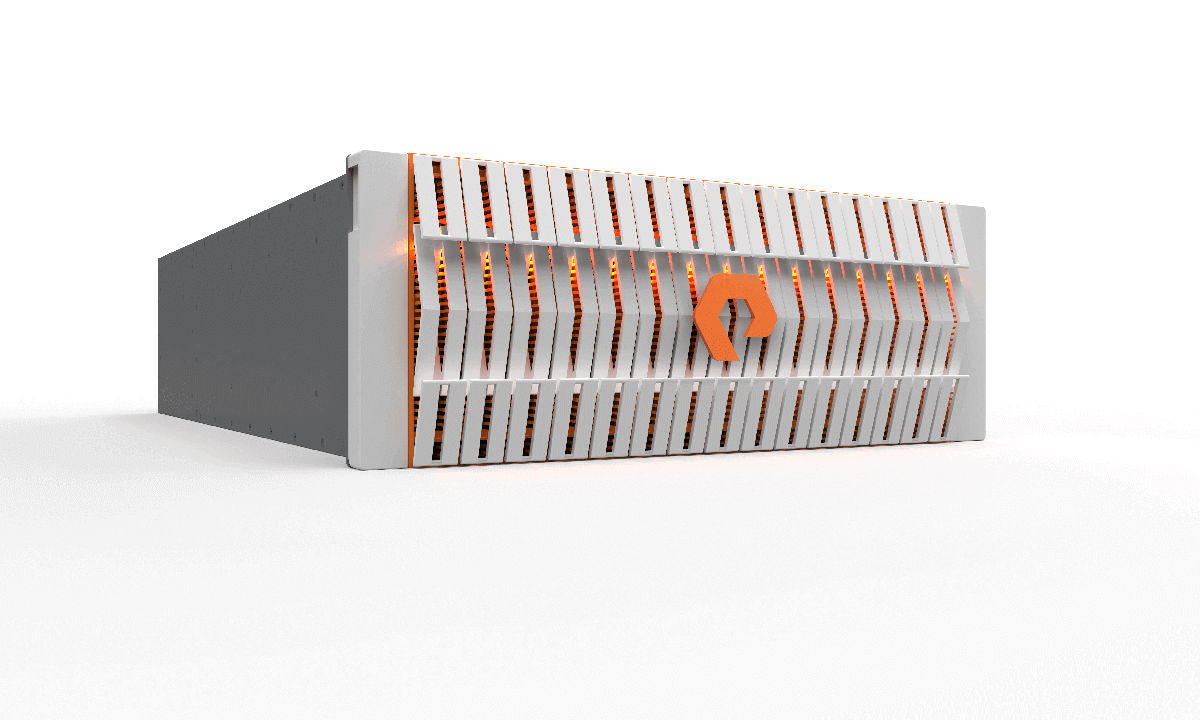
FlashBlade is the unified file and object platform from Everpure, the company formerly known as Pure Storage. Native NFS, SMB, and S3 run on a single operating system, Purity//FB, without protocol gateways or forks. The line spans FlashBlade//E for capacity-oriented repositories, FlashBlade//S for AI training, inference, analytics, and HPC at up to 650 GB/s, and FlashBlade//EXA for large-scale AI and HPC.
FlashBlade//EXA separates a metadata core from data nodes so each scales independently, with the metadata core handling low-latency metadata operations while data nodes carry throughput. Everpure reports more than 10 TB/s of read performance in a single namespace, write speeds scaling to 50% of read performance, and more than 20 times as many files per namespace.
Key features include:
- Unified file and object services: Purity//FB treats files and objects as equals in one system, keeping performance predictable as protocols and workloads change.
- Disaggregated metadata architecture: In FlashBlade//EXA, the metadata core and data nodes scale separately and integrate with existing customer network infrastructure, removing manual tuning and complex client setup.
- GPUDirect Storage support: FlashBlade//S supports NVIDIA GPUDirect Storage for direct-to-GPU data access and carries NVIDIA DGX BasePOD and DGX SuperPOD certifications.
- Zero Move Tiering: Purity//FB manages data placement at file-level granularity based on access patterns, without moving data between separate systems.
- Cyber resilience and replication: SafeMode snapshots, immutable snapshots, always-on encryption, rapid replicas, and asynchronous replication cover distributed data protection.
- Non-disruptive upgrades: Blades, modules, and software are upgraded without downtime, and Everpure reports more than 500,000 in-platform Purity upgrades performed.
- Sustained per-chassis performance: Up to 55 GB/s per chassis, with concurrency validated at 7,200 jobs in SPEC Storage testing on FlashBlade//EXA.
Limitations (as reported by users on PeerSpot):
- Pricing and licensing: Reviewers consider pricing and licensing fees high and suggest a more cost-effective structure.
- Public cloud integration: Users report that integration with public clouds and access to cloud features need improvement.
- Technical support consistency: Support experiences are described as inconsistent, with slow resolution times in some cases.
- Documentation and configuration: Reviewers ask for more comprehensive documentation and simpler configuration language.
- Data services requests: Users coming from other platforms ask for enhanced deduplication and more flexible snapshot replication scheduling.
Related content: Read our guide to AI storage companies
Conclusion
Storage for GPU-intensive AI workloads must deliver enough throughput, IOPS, metadata performance, and low-latency access to keep expensive accelerators continuously supplied with data. The right architecture depends on workload mix, dataset size, training and inference patterns, protocol requirements, and whether infrastructure spans on-premises and cloud environments. Organizations should also evaluate scaling behavior, GPU-direct capabilities, data protection, multi-tenancy, operational complexity, and total cost before standardizing on a storage platform for AI infrastructure.


